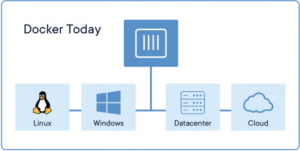
A container is a lightweight, isolated runtime environment that bundles an application together with all of its libraries, configuration, and dependencies, so it runs the same way on any machine. Docker popularized this model by providing a standard format (the container image) and a runtime (Docker Engine) that uses operating‑system–level virtualization rather than full virtual machines. In Docker’s model, containers share the host OS kernel but stay logically isolated, so they start quickly and consume fewer resources than traditional VMs. This design makes containers ideal for microservices architectures, CI/CD pipelines, and environments where you frequently deploy and scale applications.
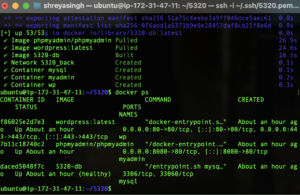
docker ps terminal output showing running containersFor CMS workloads like WordPress, Docker lets you package WordPress, PHP runtime, and a web server in one container and pair it with a separate database container (such as MySQL or MariaDB), often orchestrated with Docker Compose or Kubernetes. This approach makes it easier to reproduce your CMS stack on development laptops, staging servers, and production clusters with a single configuration file, avoiding the it works on my machine problem. Containers also make upgrades safer because you can spin up a new version of the WordPress container, test it, and then switch traffic over with minimal downtime.
- References:
- Docker. (2025, December 16). What is Docker? https://docs.docker.com/get-started/docker-overview/
- Docker. (2025, November 23). What is a container? https://www.docker.com/resources/what-container/
- GeeksforGeeks. (2025, August 28). What is Docker? https://www.geeksforgeeks.org/devops/introduction-to-docker/
Proudly powered by WordPress
I like how you clearly defined containers as a lightweight, isolated runtime that packages the app plus its dependencies and you explained Docker’s key advantage (OS-level virtualization and shared host kernel) in a way that’s easy to follow. The WordPress example is especially strong splitting WordPress/web server from the database and mentioning Docker Compose/Kubernetes makes the workflow feel realistic and reproducible. Including the “it works on my machine” point and the safer upgrade path with minimal downtime does a great job connecting the concept to practical DevOps benefits.