Time Log – time spent on other students’ sites (must have 4 entries or more):
Date: Feb 16, 2026 From: 19:00pm To: 19:20pm (20 minutes)
Date: Feb. 17, 2026 From: 11:30am To: 11:50am (20 minutes)
Date: Feb. 18, 2026 From: 13:15pm To: 13:30pm (15 minutes)
Date: Feb. 19, 2026 From: 11:00am To: 11:20am (20 minutes)
Essay I. Summary of your activities in your contents including new contents created (one paragraph). Provide all the hyperlinks (clickable) of new contents you have created this week.
This week I created new travel‑focused content and organized it so both general visitors and my instructor can find it easily. I added two new posts, Atlanta and Vegas, each with an image and proper attribution, and made sure comments are enabled so visitors can respond. I also introduced a Travel Journal section in my main navigation and placed both posts there as submenus, while linking them again under HWs → HW7 for grading. In addition, I reviewed categories and tags across all of my posts so travel content, homework posts, and technical topics are grouped more clearly, making the site feel more like a personal blog plus portfolio instead of just a list of assignments.
Essay II. Summary of your “Event” in GA4 (add a screenshot) (one paragraph)
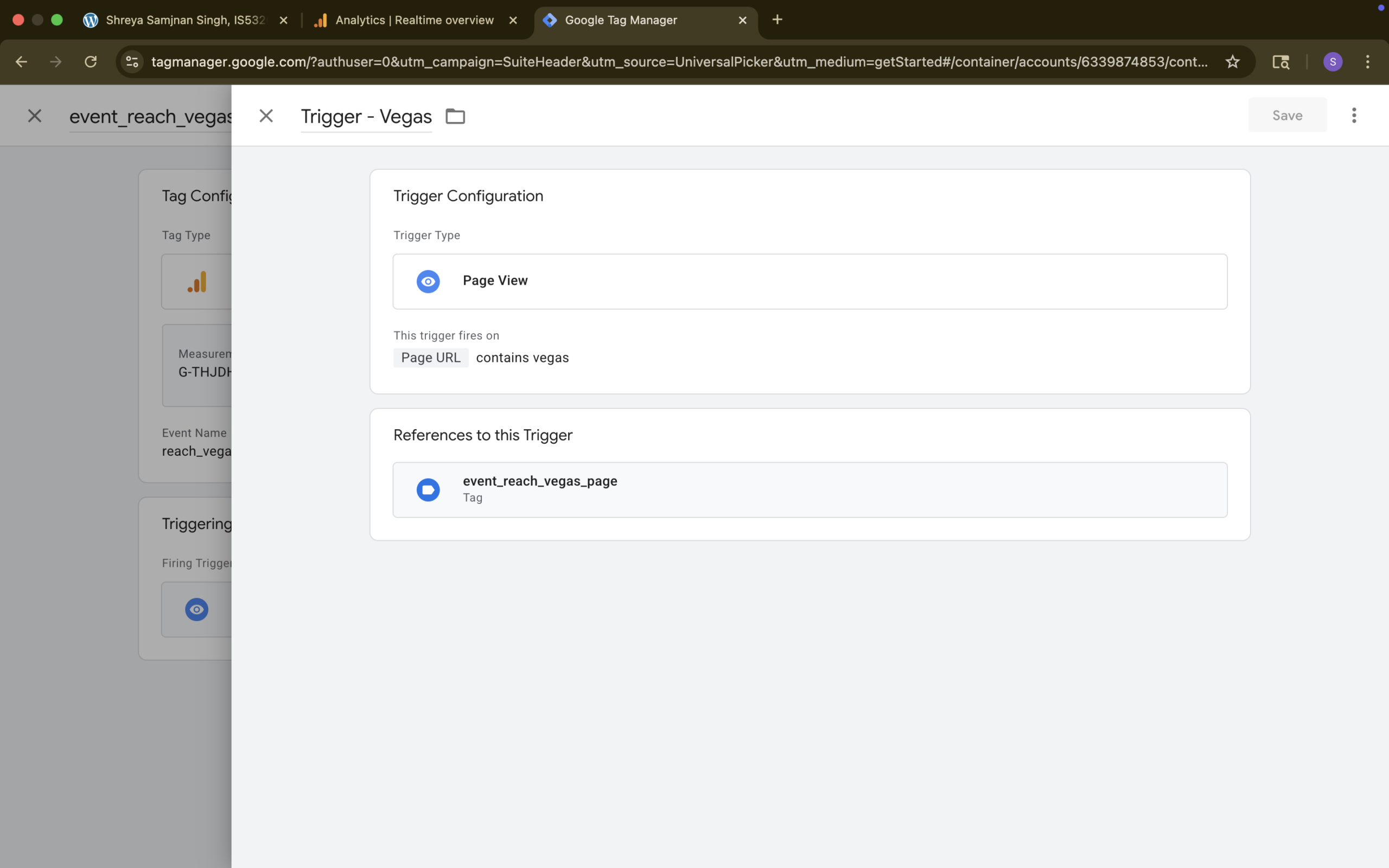
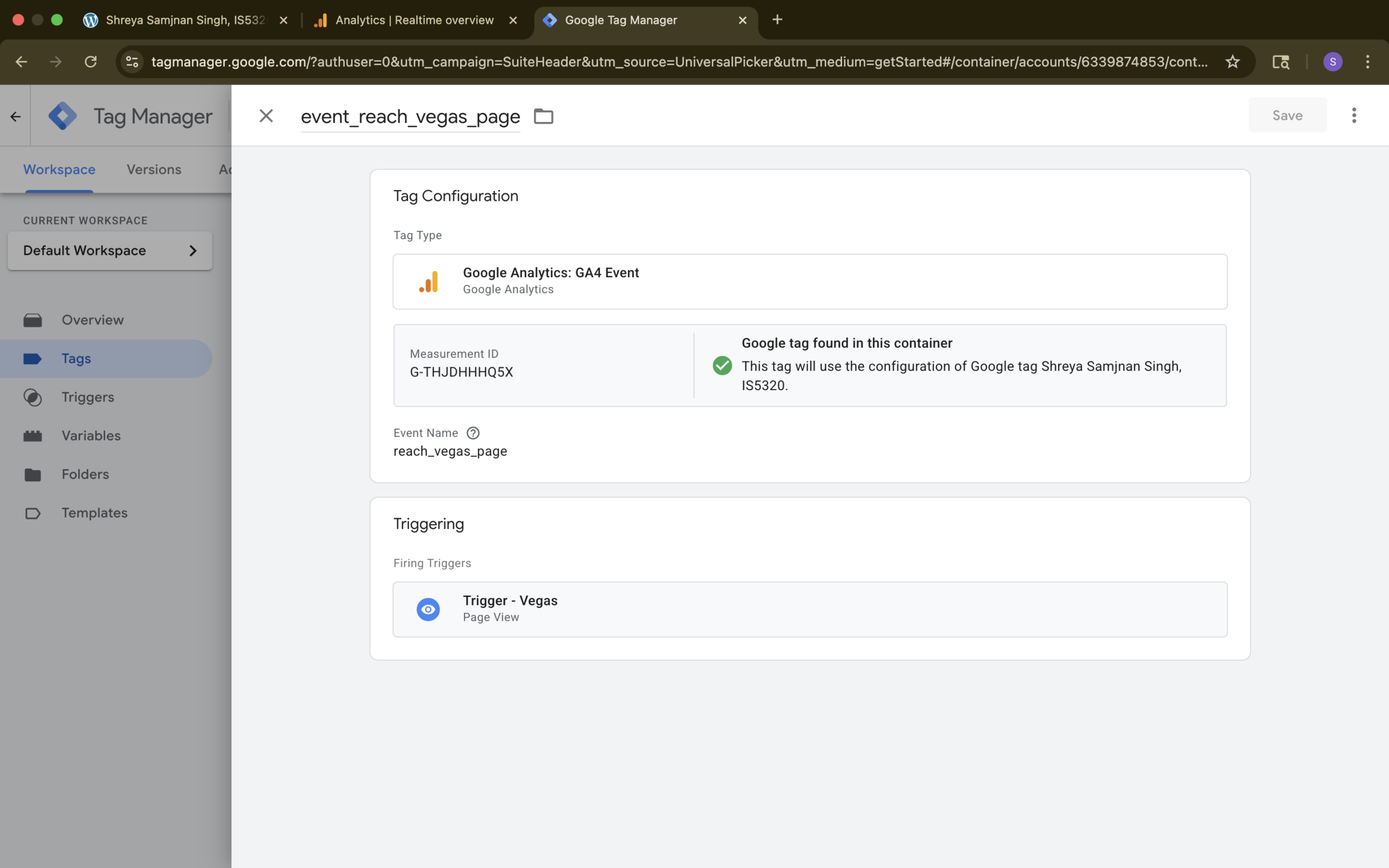
For this week’s analytics task, I implemented a custom GA4 event using Google Tag Manager to track when visitors reach my Vegas travel post. In Tag Manager, I created a GA4 event tag named reach_vegas_page and connected it to my site’s GA4 measurement ID, then set its firing trigger to a page‑view trigger called Trigger – Vegas, which is configured to fire when the page URL contains the word vegas. The screenshots in this post show the trigger setup, where the trigger type is Page View with the condition Page URL contains vegas, and the tag configuration, where the reach_vegas_page event fires whenever that trigger is met.
Essay III. Find and describe one of best use cases using custom events in GA4 (one paragraph)
One of the best use cases for custom events in GA4 is tracking high‑value actions that don’t have their own built‑in events, such as clicks on a key call‑to‑action button or a specific internal link. For example, a site could create a custom event that fires whenever someone clicks a Contact Us button or a link to an important resource, using either the GA4 interface or Google Tag Manager to listen for that interaction. This allows teams to see not just that people visited the page, but how often they engaged with that specific element. By turning those custom events into key events, they can measure which pages, menus, or layouts drive more meaningful actions and use that insight to improve design, content placement, and overall user experience.